
KeepSolid SmartDNS
Screenshots


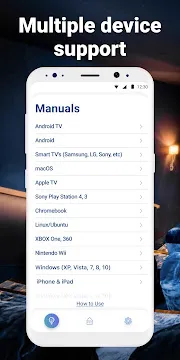
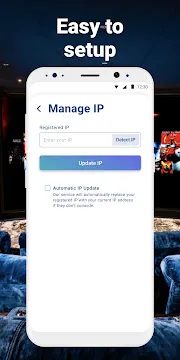
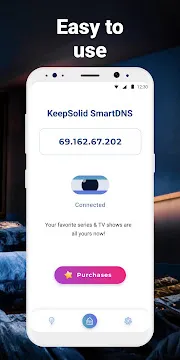
KeepSolid SmartDNS allows users to access geo-restricted online streaming platforms seamlessly without losing connection speed. The application redirects domain name requests through dedicated proxy servers located across different global regions. Consequently, users can bypass digital barriers and view blocked video content from any location effortlessly.
Moreover, this utility bypasses regional blocks without encrypting network traffic. Standard VPN applications often slow down internet connections because heavy encryption adds significant overhead. On the other hand, KeepSolid SmartDNS maintains original connection speeds so users enjoy smooth high-definition playback.
Why Users Need DNS Proxy Technology
Many digital broadcasting platforms apply strict geographic limitations on their media libraries. As a result, travelers often lose access to their favorite home channels while visiting other countries. Therefore, utilizing smart domain name routing becomes essential for consistent entertainment access.
In addition, standard network configurations automatically connect users to local domain resolution servers. These local servers reveal geographical location data directly to media hosting platforms. However, changing DNS settings overrides this default routing, granting uninterrupted global media access.
How KeepSolid SmartDNS Bypasses Regional Media Blocks
KeepSolid SmartDNS intercepts specific location-checking requests sent by online entertainment applications. Then, the application redirects those queries through optimized regional proxy servers. Consequently, target media systems recognize the request as originating from an approved location.
Meanwhile, actual media streaming data flows directly to the user device without passing through intermediary encryption tunnels. For instance, high-definition video streams connect directly to content distribution networks. Thus, users experience zero buffering and maintain maximum bandwidth for playback.
Key Features of KeepSolid SmartDNS App For Android
High-Speed Proxy Performance
KeepSolid SmartDNS preserves full internet speeds by avoiding heavy traffic encryption protocols. Most privacy tools reduce download rates due to complex security layers. However, this application routes only location-identifying data, allowing raw media files to load at maximum velocity.
As a result, viewers can stream 4K Ultra HD video content without frustrating buffering delays. In addition, lower latency improves overall app responsiveness during peak network hours.
Unlimited Bandwidth Allocation
Users can stream endless movies, television series, and live sporting events without data restrictions. Some proxy providers enforce strict monthly data caps that interrupt extended viewing sessions. Conversely, KeepSolid SmartDNS grants unrestricted bandwidth usage for every connected account.
Furthermore, uninterrupted data throughput ensures smooth performance across long streaming sessions. Consequently, households can run multiple media streams simultaneously without encountering artificial network throttling.
Multi-Device Compatibility
The service functions smoothly across a wide variety of personal electronic hardware. For example, users can configure account credentials on mobile phones, tablets, smart televisions, and home routers. Therefore, a single account protects and enables media playback across an entire household setup.
In addition, cross-platform support allows seamless synchronization between mobile and home entertainment hardware. So, switching from a smartphone to a large TV screen requires no extra configuration hassle.
One-Tap Server Connection
The mobile interface features a simplified setup system designed for quick user operation. Users simply tap a single button to initiate proxy routing across preferred regions. After that, background processes manage domain resolutions without requiring technical knowledge.
Meanwhile, clear visual indicators show current active server status instantly. Thus, managing regional locations remains effortless even for non-technical media enthusiasts.
Automatic IP Updating
The application automatically tracks changes to user network IP addresses to ensure continuous service. Internet service providers frequently change home network addresses during routine router restarts. Consequently, static proxy settings often fail when public address parameters shift unexpectedly.
KeepSolid SmartDNS solves this issue by refreshing registered location markers directly through the settings panel. In other words, users maintain active proxy access without manual account re-configurations.
Dedicated Customer Assistance
Technical assistance remains accessible around the clock to assist users with setup queries. For instance, specialized support staff offer guidance for complex router and smart television configurations. Therefore, users quickly resolve potential connectivity issues with expert guidance.
Furthermore, extensive online knowledge bases offer clear step-by-step troubleshooting articles. In short, users receive prompt help whenever configuration challenges arise.
How to Download and Install KeepSolid SmartDNS APK
Installing this application on your mobile device requires a few straightforward steps. First, prepare your mobile settings to allow installations from external package files. Then, click the download button on our trusted platform to obtain the latest package file directly.
- Open your device settings menu and select the security section.
- Enable permission to install unknown applications from your browser or file manager.
- Click the download button on our website to save the package file.
- Locate the downloaded file inside your file manager folder and tap it.
- Follow the on-screen prompts to complete installation and launch the app.
KeepSolid SmartDNS Tips and Tricks
- Register Your IP Address Promptly: Always tap the detect IP button inside app settings after changing networks. Consequently, regional proxy servers will recognize your mobile device correctly.
- Select Nearest Regional Proxy: Choose the server location closest to your target streaming region. For example, select the European node when accessing regional channels from European broadcasters.
- Configure Home Router Settings: Set up DNS proxy addresses directly inside your central home router settings. Therefore, every connected smart display in your home gains instant access without individual app installations.
- Clear Application Cache Regularly: Wipe stored cache data inside your streaming media applications before switching DNS locations. Otherwise, old location tokens stored in application cache might prevent new content from loading.
- Disable Active VPN Clashes: Ensure all background virtual private network applications are turned off before launching DNS routing. In other words, running two redirection tools simultaneously creates routing conflicts.
- Use Stable Network Connections: Connect your device to a high-speed Wi-Fi network rather than unstable mobile data. As a result, domain resolution queries process faster and video streams load with higher initial resolution.
KeepSolid SmartDNS: Performance Optimization for High Definition Media
Optimizing network parameters ensures maximum stability during continuous high-definition video playback. For instance, selecting static local IP addresses inside mobile network preferences prevents frequent reconnection attempts. Consequently, media playback remains steady during long viewing sessions.
In addition, closing background applications frees up device memory and system resources. Mobile operating systems often limit background network processing when system RAM fills up. Therefore, clearing inactive applications ensures top performance for active video streams.
Conclusion
In conclusion, KeepSolid SmartDNS offers an effective solution for bypassing geographic media restrictions without sacrificing internet connection speed. By focusing exclusively on domain name redirection, this application maintains maximum bandwidth for smooth high-definition video streaming.
Furthermore, easy configuration and multi-device compatibility make this tool an excellent choice for entertainment enthusiasts. Whether traveling abroad or streaming content on home smart devices, users gain reliable global access. Consequently, downloading this application grants total control over your digital viewing experience.